Using FaceTime on Apple TV

January 2026

Interested in having a FaceTime chat on the big screen? It seems like a good idea to sit in your living room and see your contacts big as life on your TV. However, your Apple TV doesn’t have a camera or a microphone, which are necessary for FaceTime.

Apple has addressed that problem with a feature called Continuity Camera, in which your iPhone’s camera and microphone can be used to extend the capability of your Apple TV.

As usual, there are certain provisos. Your devices must be running recent versions of iOS & TV OS. Operating systems must be at least iOS 17 and tvOS 17. Your devices must be connected to the same network and same Apple ID, yada yada. Your mileage may vary.
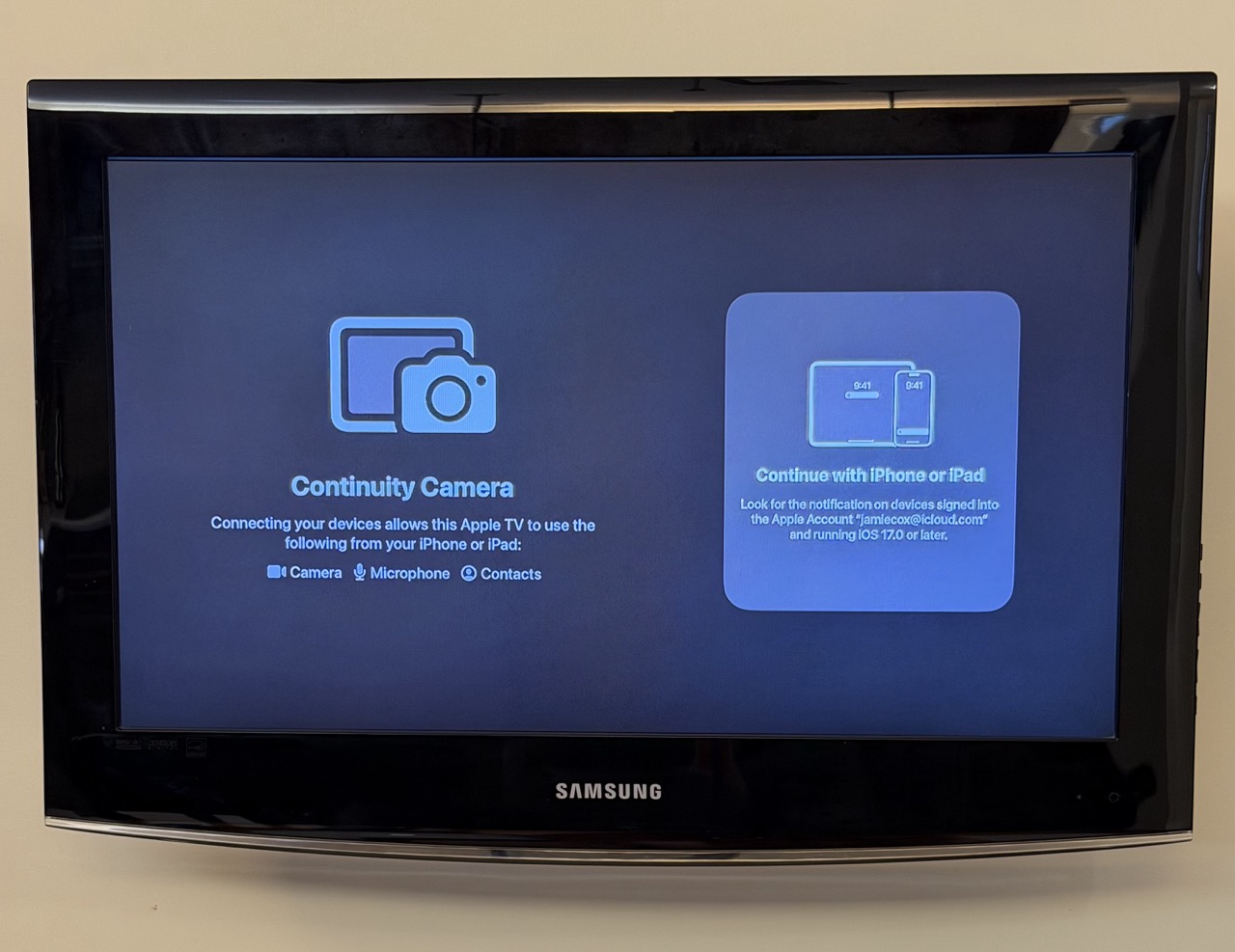
Once you open the FaceTime app on your Apple TV, you’ll see a chance to connect with your iPhone (or iPad).

The screen below shows what pops up on your iPhone.
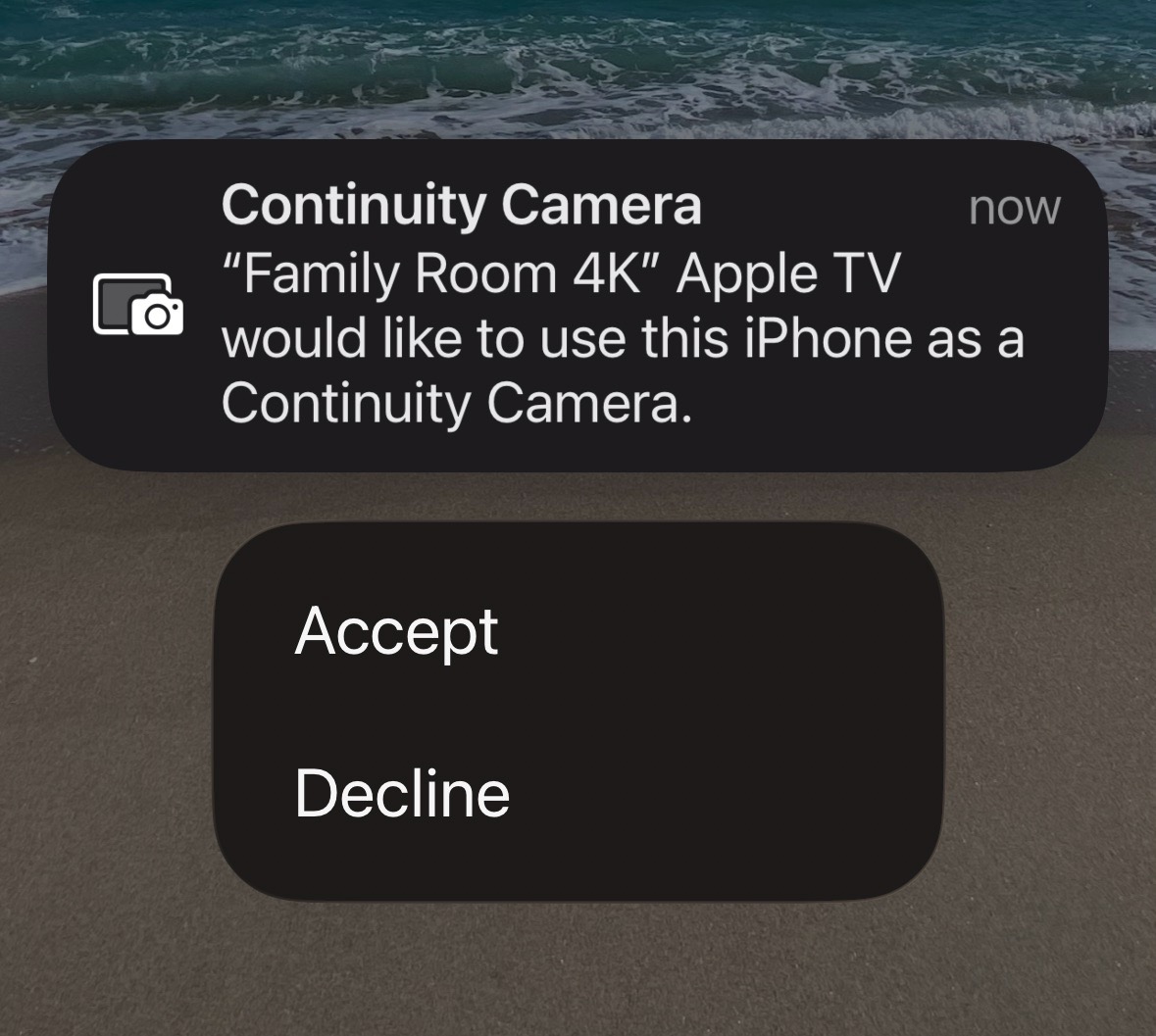
Once you accept, you’ll get the prompt below to position your iPhone camera appropriately for use by FaceTime. This is potentially the hardest part. It’s difficult to get your phone propped up in the right position unless you have some sort of mount or tripod.
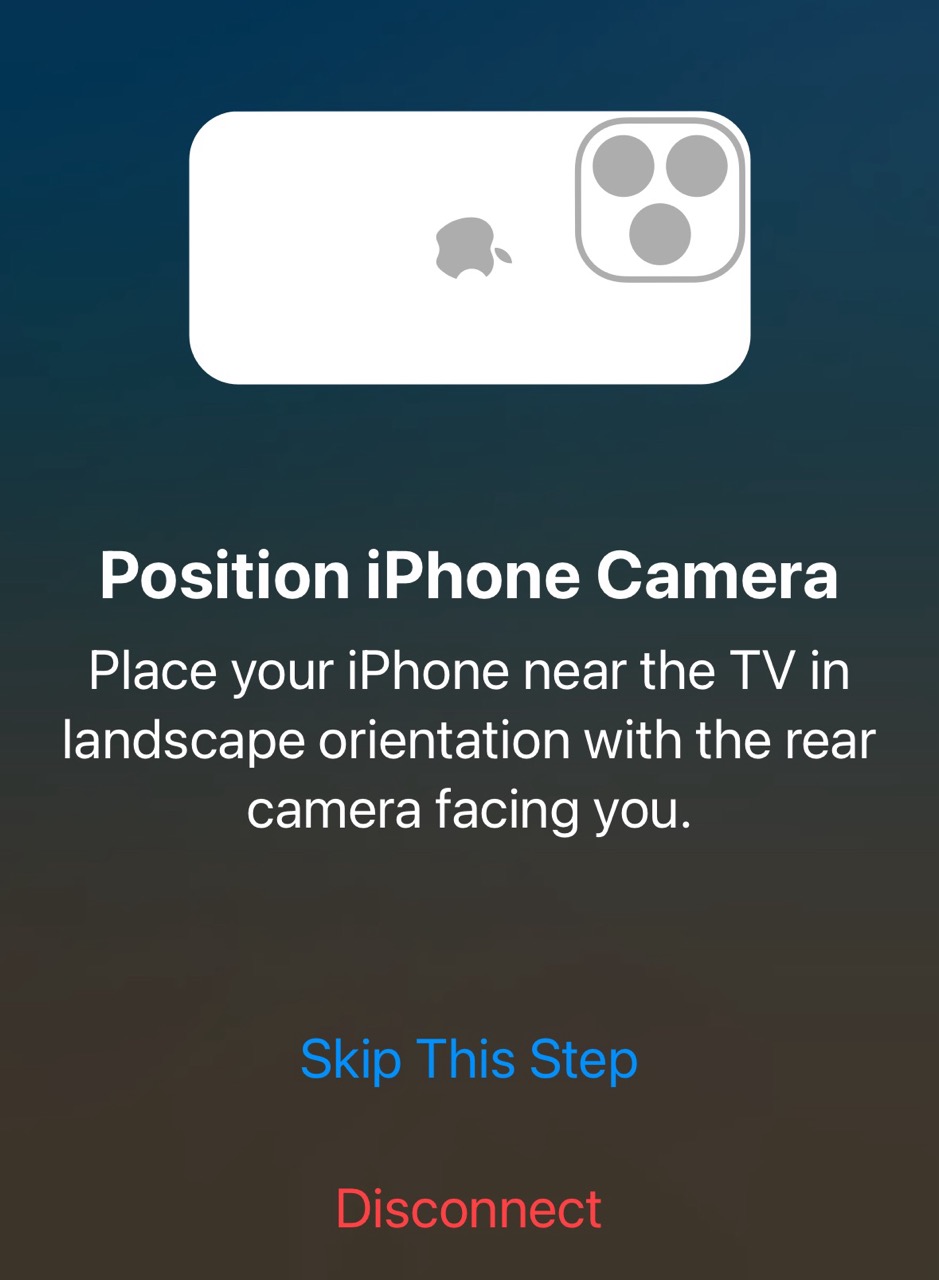
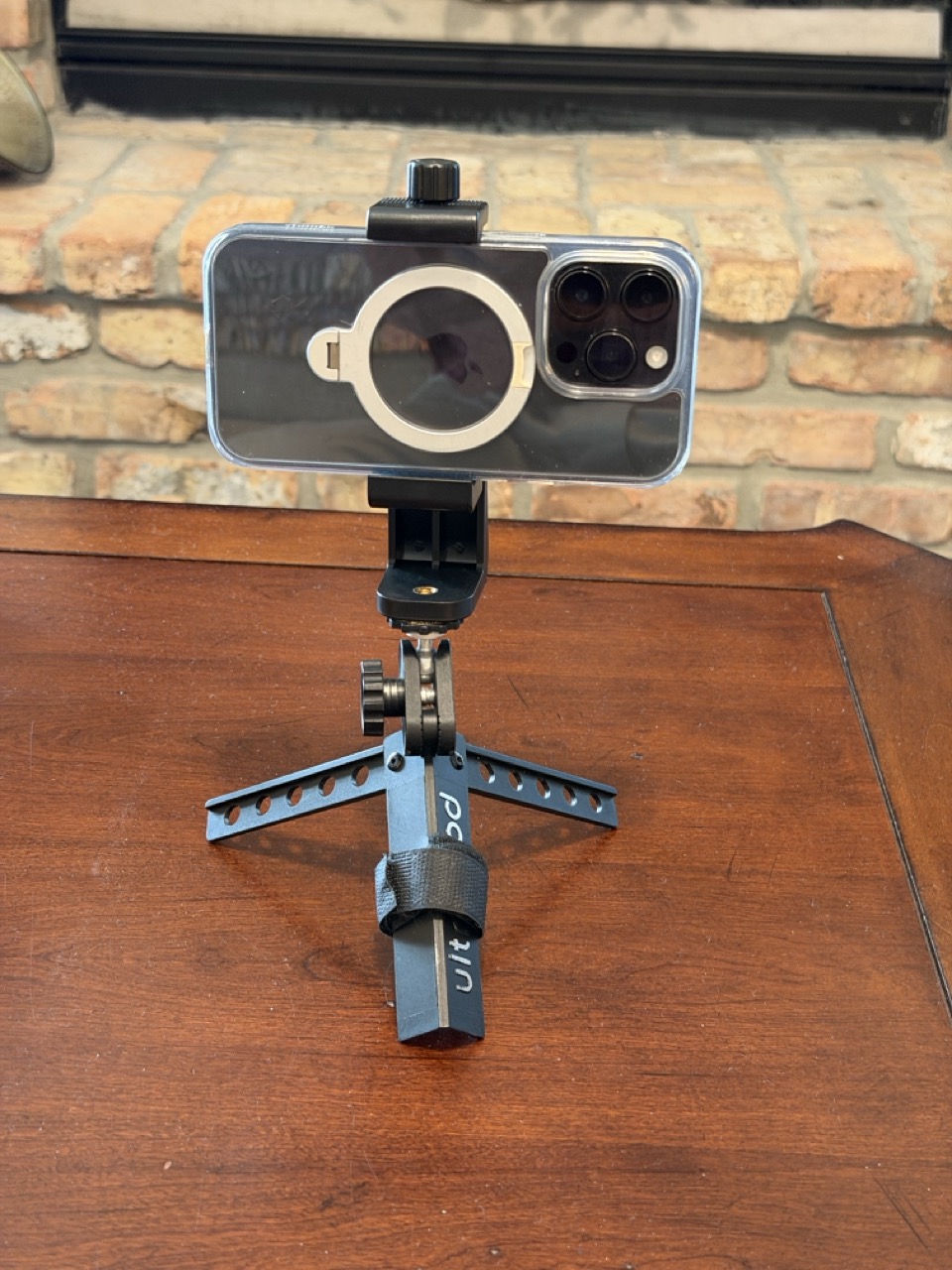
Below is my phone mount on a mini tripod. The tripod had a ball-swivel head, which is what you want to get the camera pointed in the correct direction. This product on Amazon seems to be a very similar setup.
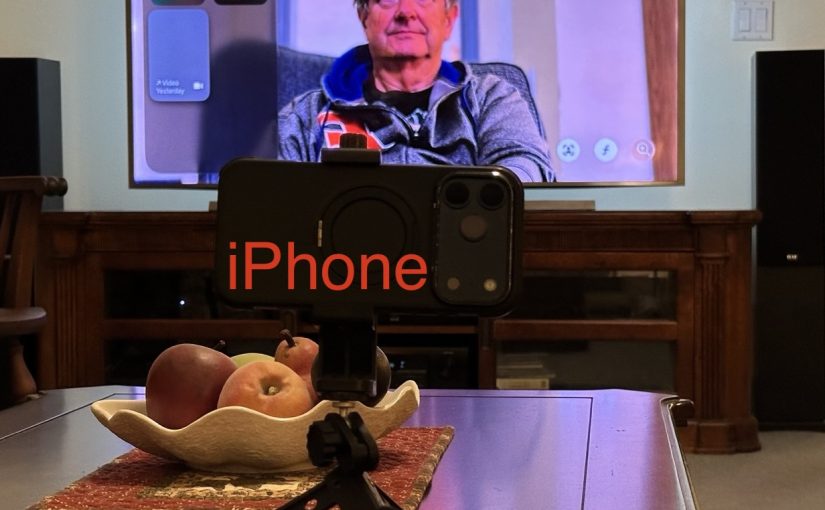
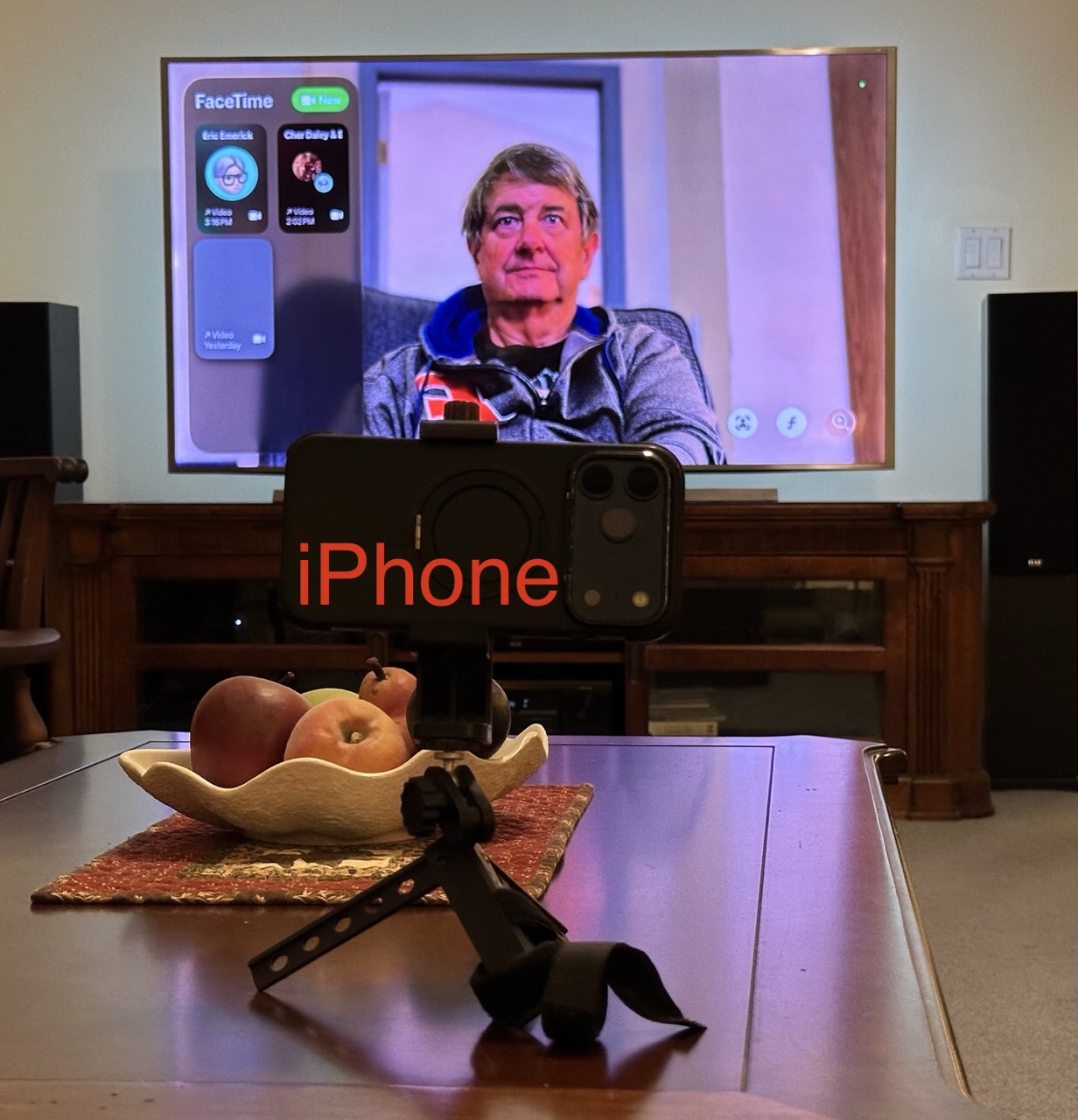
Once you have your phone mounted, you’re ready to FaceTime. Below is what it looks like in a FaceTime call. Since my chair is pretty far from the TV, I placed the iPhone camera on a table closer to me to capture a better image.

Versions of the iPhone from iPhone 11 on, will use a feature called Center Stage, to automatically keep the camera image centered on you, even if you move around a bit.
Problems, etc.

The above is the best-case scenario where everything works as expected.

If your phone isn’t on the same iCloud account as the Apple TV, you are guided to scan a QR code to connect. Frankly, I was never able to get that scenario to work.
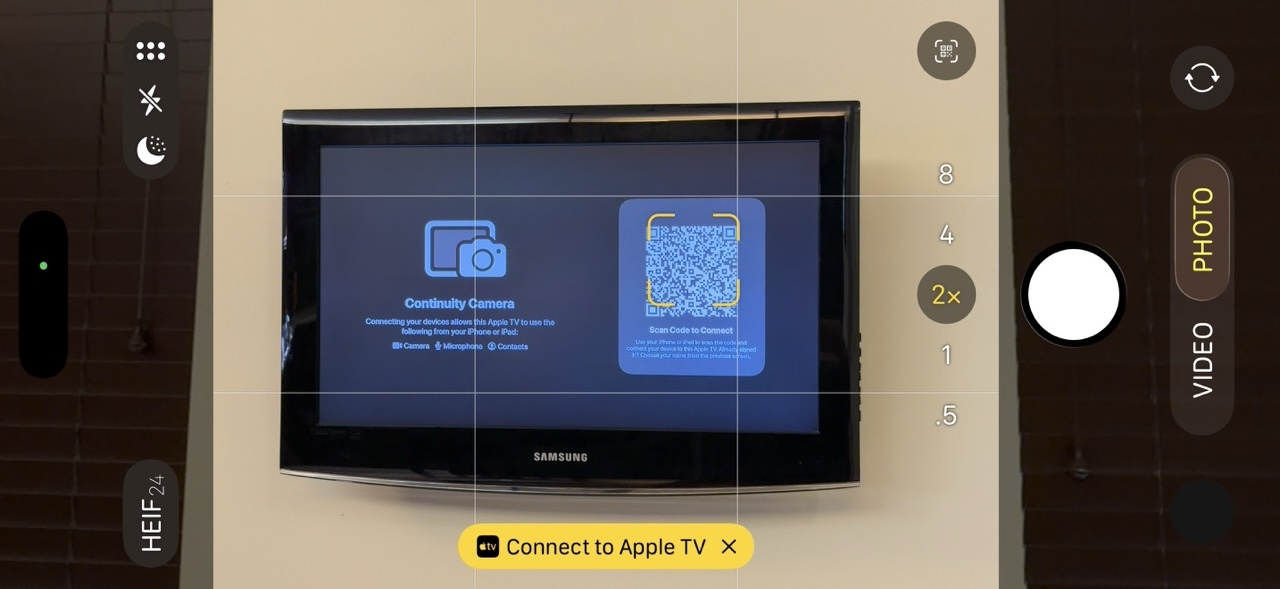
Error messages I got:

“There was a problem loading your recent calls. You may need to restart your iOS device or Apple TV.”

“To continue, go to FaceTime Settings on your iOS device, then sign in to your Apple Account.” (I was already signed in and didn’t see any sign-in option in the FaceTime Settings.)

Other Tripods

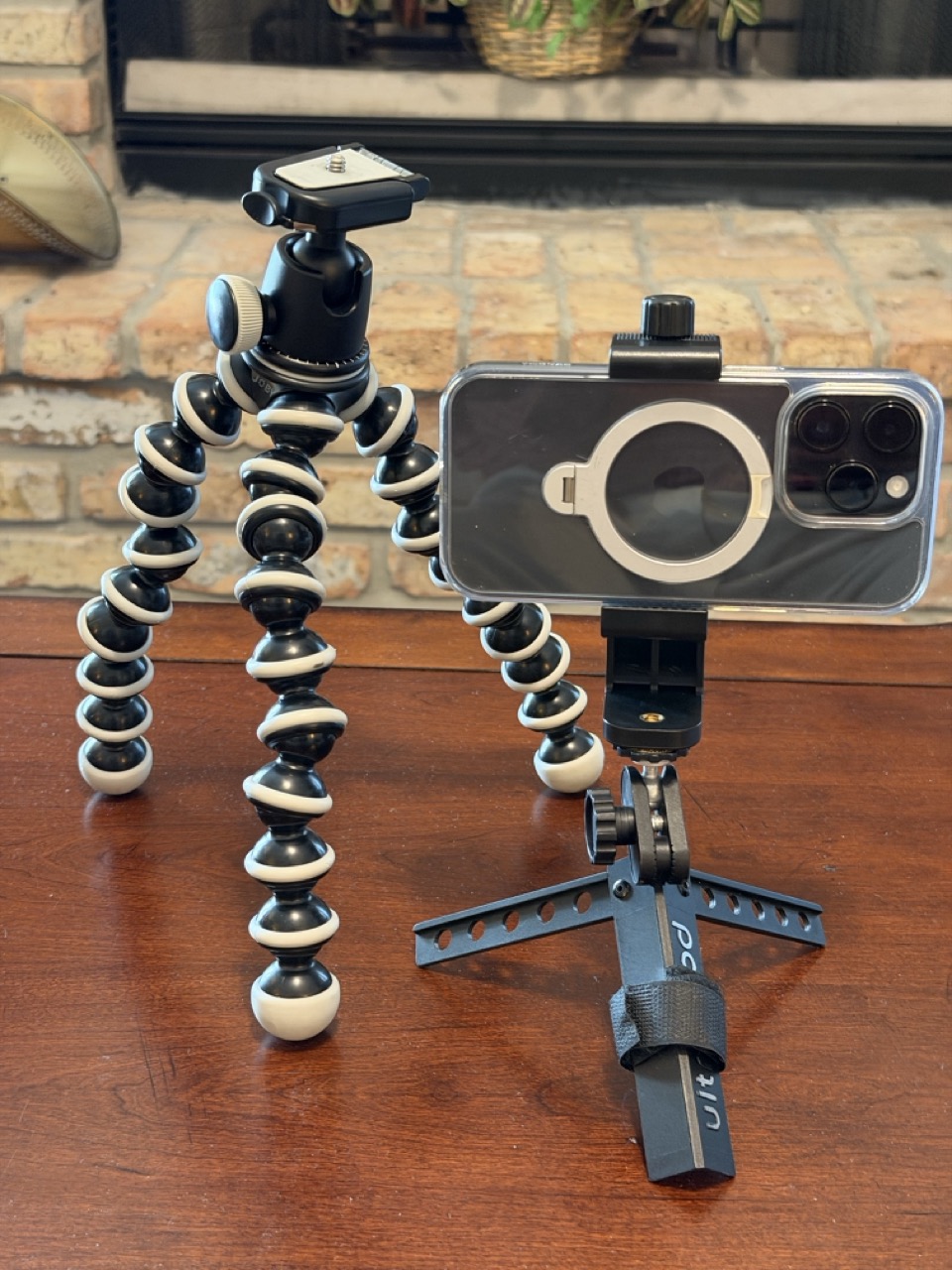
Your setup might work better with a full-sized camera tripod, or something in between, like this Gorilla Pod.
FaceTime with Apple TV is a cool feature, but it does require some patience to get it set up the first time. Enjoy.

Chat Apps

November 2023 Meeting Topic

Text messaging of various types has become very popular since the beginning of mobile phones. The popularity of chat apps has really taken off with additional features such as group chat, photos, and audio and video chat.

The line between Chat Apps and social media such as Twitter (X), has become blurred as more features are added.

Popular Chat Apps

  • Messages/FaceTime (Apple)
  • Signal
  • WeChat
  • WhatsApp Messenger
  • Telegram
  • Messenger (Meta/Facebook)
  • Google Chat

Why Choose A Particular App?

Convenience: Messages is built into your Apple products. It’s easy to use. There may be no reason to change, especially if your friends use Apple devices also.

Security and Privacy: Signal is your best choice for absolute security, with end-to-end encryption, a security-focused company, and publicly reviewed code. Apple’s Messages is also very secure, but perhaps less so against governments. The Signal protocol has also been adopted by WhatsApp and Google Messages (on Android).

International Travel: WhatsApp is popular overseas and with travelers. You can use WhatsApp with an international data plan. Since it does not use conventional SMS text messaging, you won’t get charged for the texts. WeChat is nearly universal in China and the far east. It is widely used for checkout and payments as well as messaging. Telegram is popular in India, Asia, Africa and parts of Europe.

Features

  • Group Chat
  • Audio/Video Chat
  • Broadcast to large group
  • Stickers, emojis, reactions
  • File Transfer
  • Document Sharing/Team Collaboration
  • Send money

Under the Hood

The original text messaging protocol was SMS (Simple Messaging System). You’re probably still using SMS if you exchange messages with non-iPhone users (probably Android). SMS has a 160 character limit for each message. MMS (Multimedia Messaging Service) is an extension of SMS which allows “texting” of photos and videos (Low-resolution). SMS and MMS messages count as “text messaging” on your cellular plan, and do not use your data plan.

RCS (Rich Communication Services) is a more modern protocol widely used on Android phones. Apple has announced that its Messages App will be compatible with RCS beginning sometime in 2024. RCS messages use cellular data (or WiFi) (not “texts”). However, none of the chat App protocols will probably make a significant dent in your cellular data usage. When RCS is available in Messages, Apple users and their Android friends will see an improvement in the quality of photos and videos sent and received.

The other Chat Apps are each using their own protocols to exchange messages using Internet data over cellular or WiFi. The quantity of data used is probably insignificant.

Block Spam Calls with Help from your Carrier

We’ve all been getting too many spam, scam and telemarketing calls. Many times these illegal robocalls spoof Caller ID, making it appear that they are calling from your local area, or even from your own number. Fortunately help is on the way.

AT&T, T-Mobile and Verizon all have anti-spoofing features which you can use for free:

Read more about phone spam and STIR/SHAKEN in this article at Consumer Reports.

Meanwhile, don’t disclose personal information to a caller, no matter who they say they are or what number they call from. Also, anytime a caller suggests you pay with a gift card, it is almost certainly a scam. There is no legitimate reason to do that.